
功能魔改
文章统计信息显示
效果图如下:

在.vitepress\theme\untils\tools.ts文件中写入以下内容,包含了字数统计、阅读时间计算(含图片估算)、数字格式化和日期格式化。
// .vitepress/utils/tools.ts

/**
 * 阅读时间计算(包含图片估算)
 */
export const calculateReadTime = (wordCount: number, imageCount: number): number => {
    // 假设阅读速度:中文 275字/分钟
    const wordTime = (wordCount / 275) * 60 // 秒

    // 图片阅读时间估算
    let imageTime = 0
    const n = imageCount
    if (n > 0) {
        if (n <= 10) {
            // 等差数列求和:13 + 14 + 15 ...
            imageTime = n * 13 + (n * (n - 1)) / 2
        } else {
            // 超过10张,每张按3秒估算
            imageTime = 175 + (n - 10) * 3
        }
    }

    // 总分钟数,向上取整
    return Math.ceil((wordTime + imageTime) / 60)
}

/**
 * 文字统计 (中英文混合)
 */
export const countWord = (data: string): number => {
    if (!data) return 0
    // 简单清洗,去除Markdown链接语法等,保留文本
    const cleanData = data.replace(/!\[.*?\]\(.*?\)|\[.*?\]\(.*?\)|<.*?>/g, '')

    const cjkPattern = /[\u4E00-\u9FFF\u3400-\u4DBF\uF900-\uFAFF\u3040-\u309F\uAC00-\uD7AF]/g
    const wordPattern = /[a-zA-Z0-9_\u00C0-\u00FF]+/g

    const cjkMatches = cleanData.match(cjkPattern) || []
    const wordMatches = cleanData.match(wordPattern) || []

    return cjkMatches.length + wordMatches.length
}

/**
 * 数字千分位转换 (e.g. 1500 -> 1.5k)
 */
export const countTransK = (count: number): string => {
    return new Intl.NumberFormat('en-US', {
        notation: 'compact',
        maximumFractionDigits: 1
    }).format(count)
}

/**
 * 日期格式化
 */
export const formatDate = (hasTime = false): Intl.DateTimeFormat => {
    const options: Intl.DateTimeFormatOptions = {
        year: 'numeric',
        month: '2-digit',
        day: '2-digit',
        ...(hasTime && {
            hour: '2-digit',
            minute: '2-digit',
            second: '2-digit',
            hour12: false
        })
    }
    return new Intl.DateTimeFormat('zh-CN', options)
}在.vitepress\theme\components\ArticleInfo.vue文件中写入以下内容,创建元数据组件,会自动抓取页面文字、监听 PV 数据并显示。
<!-- .vitepress/theme/components/ArticleInfo.vue -->
<script setup lang="ts">
import { useData } from 'vitepress'
import { ref, onMounted, computed, onUnmounted, nextTick, watch } from 'vue'
import { countWord, formatDate, calculateReadTime, countTransK } from '../../theme/untils/tools'

const formatWordCount = (count: number): string => {
    // 如果字数大于等于 1000
    if (count >= 1000) {
        // 除以 1000 并保留 1 位小数,加上 'k'
        return (count / 1000).toFixed(1) + 'k'
    }
    // 小于 1000 直接返回原数字
    return count.toString()
}

const { frontmatter, page } = useData()

// --- 日期处理 ---
const dateFormatter = formatDate()
const format = (date: string | number | Date | undefined) => {
    if (!date) return ''
    return dateFormatter.format(new Date(date)).replace(/\//g, '-')
}

// 优先显示 frontmatter.date 作为发布时间,否则为空
const firstCommit = computed(() => format(frontmatter.value.date || frontmatter.value.firstCommit))
const lastUpdated = computed(() => format(frontmatter.value.lastUpdated || page.value.lastUpdated))

// --- 字数与阅读时间统计 ---
const wordCount = ref(0)
const readTime = ref(0)

const updateStats = () => {
    const docDomContainer = document.querySelector('#VPContent')
    if (!docDomContainer) return

    // 统计图片
    const imgs = docDomContainer.querySelectorAll('.content-container .main img')
    const imageCount = imgs.length

    // 统计文字
    const content = docDomContainer.querySelector('.content-container .main')?.textContent || ''
    const words = countWord(content)
    wordCount.value = words

    // 计算阅读时间
    readTime.value = calculateReadTime(words, imageCount)
}

// --- PV 统计 (监听 Busuanzi 或其他脚本写入) ---
const pv = ref('∞') // 初始状态
let observer: MutationObserver | null = null

const initPVObserver = () => {
    // 1. 寻找 Busuanzi 生成的标准 ID
    let pvEl = document.getElementById('busuanzi_value_page_pv')

    // 2. 如果没找到,尝试寻找我们自定义的隐藏 span (兼容性处理)
    if (!pvEl) {
        pvEl = document.getElementById('vercount_value_page_pv')
    }

    if (!pvEl) {
        pv.value = '-'
        return
    }

    const readPv = () => {
        const text = pvEl.textContent?.trim()
        if (text) {
            const val = parseInt(text)
            if (!isNaN(val)) {
                pv.value = countTransK(val)
                if (observer) observer.disconnect() // 获取成功后停止监听
            }
        }
    }

    if (pvEl.textContent) readPv()
    else {
        observer = new MutationObserver(readPv)
        observer.observe(pvEl, { childList: true, characterData: true, subtree: true })
    }
}

// --- 生命周期 ---
onMounted(() => {
    nextTick(() => {
        updateStats()
        initPVObserver()
    })
})

onUnmounted(() => {
    observer?.disconnect()
})

watch(
    () => page.value.relativePath,
    () => {
        pv.value = '...'
        nextTick(() => {
            updateStats()
            if (observer) observer.disconnect()
            initPVObserver()
        })
    }
)
</script>

<template>
    <div class="article-info">
        <!-- 必须保留这个隐藏的 span,供 Busuanzi 脚本写入数据 -->
        <span id="busuanzi_container_page_pv"
            style="position: absolute; width: 0; height: 0; overflow: hidden; opacity: 0; pointer-events: none;">
            <span id="busuanzi_value_page_pv"></span>
        </span>

        <div class="info-item" v-if="firstCommit" title="发布时间">
            <svg fill="none" viewBox="0 0 24 24" width="16" height="16" xmlns="http://www.w3.org/2000/svg">
                <path
                    d="m17 3h4c.2652 0 .5196.10536.7071.29289.1875.18754.2929.44189.2929.70711v16c0 .2652-.1054.5196-.2929.7071s-.4419.2929-.7071.2929h-18c-.26522 0-.51957-.1054-.70711-.2929-.18753-.1875-.29289-.4419-.29289-.7071v-16c0-.26522.10536-.51957.29289-.70711.18754-.18753.44189-.29289.70711-.29289h4v-2h2v2h6v-2h2zm-13 6v10h16v-10zm2 2h2v2h-2zm0 4h2v2h-2zm4-4h8v2h-8zm0 4h5v2h-5z"
                    fill="#8a8a8a" />
            </svg>
            <span>发布于: {{ firstCommit }}</span>
        </div>

        <div class="info-item" v-if="lastUpdated" title="更新时间">
            <svg xmlns="http://www.w3.org/2000/svg" x="0px" y="0px" width="16" height="16" viewBox="0 0 48 48">
                <path
                    d="M24,4C13,4,4,13,4,24s9,20,20,20s20-9,20-20S35,4,24,4z M31.5,27h-8c-0.8,0-1.5-0.7-1.5-1.5v-12c0-0.8,0.7-1.5,1.5-1.5	s1.5,0.7,1.5,1.5V24h6.5c0.8,0,1.5,0.7,1.5,1.5S32.3,27,31.5,27z"
                    fill="#8a8a8a">
                </path>
            </svg>
            <span>更新于: {{ lastUpdated }}</span>
        </div>

        <div class="info-item" title="字数统计">
            <svg class="icon" viewBox="0 0 1024 1024" width="16" height="16">
                <path
                    d="M204.8 0h477.866667l273.066666 273.066667v614.4c0 75.093333-61.44 136.533333-136.533333 136.533333H204.8c-75.093333 0-136.533333-61.44-136.533333-136.533333V136.533333C68.266667 61.44 129.706667 0 204.8 0z m307.2 607.573333l68.266667 191.146667c13.653333 27.306667 54.613333 27.306667 61.44 0l102.4-273.066667c6.826667-20.48 0-34.133333-20.48-40.96s-34.133333 0-40.96 13.653334l-68.266667 191.146666-68.266667-191.146666c-13.653333-27.306667-54.613333-27.306667-68.266666 0l-68.266667 191.146666-68.266667-191.146666c-6.826667-13.653333-27.306667-27.306667-47.786666-20.48s-27.306667 27.306667-20.48 47.786666l102.4 273.066667c13.653333 27.306667 54.613333 27.306667 61.44 0l75.093333-191.146667z"
                    fill="#777777"></path>
            </svg>
            <span>字数: {{ formatWordCount(wordCount) }}</span>
        </div>

        <div class="info-item" title="阅读时间">
            <svg class="icon" viewBox="0 0 1060 1024" width="16" height="16">
                <path
                    d="M556.726857 0.256A493.933714 493.933714 0 0 0 121.929143 258.998857L0 135.021714v350.390857h344.649143L196.205714 334.482286a406.820571 406.820571 0 1 1-15.908571 312.649143H68.937143A505.819429 505.819429 0 1 0 556.726857 0.256z m-79.542857 269.531429v274.907428l249.197714 150.966857 42.422857-70.070857-212.114285-129.389714V269.787429h-79.542857z"
                    fill="#8a8a8a"></path>
            </svg>
            <span>时长: {{ readTime }} 分钟</span>
        </div>

        <div class="info-item" title="阅读量">
            <svg class="icon" viewBox="0 0 1024 1024" width="16" height="16">
                <path
                    d="M512 512c-114.688 0-209.92-95.232-209.92-209.92S397.312 92.16 512 92.16s209.92 95.232 209.92 209.92S626.688 512 512 512z"
                    fill="#8a8a8a"></path>
                <path
                    d="M906.24 931.84c-20.48-266.24-245.76-389.12-394.24-389.12S137.216 665.6 117.76 931.84c0 20.48 15.36 35.84 35.84 35.84h716.8c20.48 0 35.84-15.36 35.84-35.84z"
                    fill="#8a8a8a"></path>
            </svg>
            <span>阅读量: {{ pv }}</span>
        </div>
    </div>
</template>

<style scoped>
.article-info {
    display: flex;
    flex-wrap: wrap;
    gap: 1rem;
    margin-top: 1rem;
    margin-bottom: 1.5rem;
    color: var(--vp-c-text-2);
    font-size: 0.9rem;
}

.info-item {
    display: flex;
    align-items: center;
    gap: 0.25rem;
}

.icon {
    display: inline-block;
    width: 1em;
    height: 1em;
    fill: currentColor;
    opacity: 0.8;
}
</style>在.vitepress/theme/index.ts中,将组件注册为全局组件。
import ArticleInfo from './components/ArticleInfo.vue'

export default {
  extends: DefaultTheme,
  enhanceApp({app}) {
    // 注册全局组件
    app.component('ArticleInfo', ArticleInfo);
  }
}在.vitepress\config.mjs文件中写入以下内容。
import { defineConfig } from 'vitepress'

export default defineConfig({

  markdown: {
    // 组件插入h1标题下
    config: (md) => {
      // 使用 markdown-it 插件
      md.use((md) => {
        // 渲染规则:在 H1 标签结束后插入组件
        const originalHeadingClose = md.renderer.rules.heading_close || function (tokens, idx, options, env, self) {
          return self.renderToken(tokens, idx, options);
        };

        md.renderer.rules.heading_close = (tokens, idx, options, env, slf) => {
          const htmlResult = originalHeadingClose(tokens, idx, options, env, slf);

          // 只有当标题是 h1 时才插入
          if (tokens[idx].tag === 'h1') {
            return htmlResult + `<ArticleInfo />`;
          }

          return htmlResult;
        };
      })
    }
  }

})隐藏默认在文章底部显示的更新时间,在.vitepress\theme\style\var.css中加入以下内容。
.VPLastUpdated {
    display: none;
}

@media (min-width: 640px) {
    .VPLastUpdated {
        display: none;
    }
}
图片居中
在.vitepress\theme\style\var.css 文件中写入以下内容。
/************************* 设置图片居中 *************************/
p img {
    display: block;
    margin: 0 auto;
}
/************************* 设置图片居中 *************************/
创建 .vitepress\theme\style\index.css 文件,并引入第一步创建的css文件
@import './var.css';在 .vitepress/theme/index.js 文件中引入index.css
import './style/index.css'参考链接:
代码框Mac风格样式
在 .vitepress\theme\style\index.css 文件中引入新创建的css文件
@import './blur.css';在.vitepress\theme\style\blur.css 文件中写入以下内容。
/************************ 代码块 ************************/

/* 代码块:增加留空边距 增加阴影 */
.vp-doc div[class*=language-] {
    box-shadow: 0 10px 30px 0 var(--vp-c-gray-soft);
    border: solid 1px var(--vp-c-gray-1);
    padding-top: 20px;
    margin: auto;
    border-radius: 8px;
}

/* 代码块:添加macOS风格的小圆点 */
.vp-doc div[class*=language-]::before {
  content: "";
  display: block;
  position: absolute;
  top: 12px;
  left: 12px;
  width: 12px;
  height: 12px;
  background-color: #ff5f56;
  border-radius: 50%;
  box-shadow: 20px 0 0 #ffbd2e, 40px 0 0 #27c93f;
  z-index: 1;
}

/* 代码块:下移行号 隐藏右侧竖线 */
.vp-doc .line-numbers-wrapper {
  padding-top: 40px;
  border-right: none;
}

/* 代码块:重建行号右侧竖线 */
.vp-doc .line-numbers-wrapper::after {
  content: "";
  position: absolute;
  top: 40px;
  right: 0;
  border-right: 1px solid var(--vp-code-block-divider-color);
  height: calc(100% - 60px);
}

.vp-doc div[class*='language-'].line-numbers-mode {
  margin-bottom: 20px;
}
/************************ 代码块 ************************/


/************************ 代码组 ************************/

/* 代码组:tab间距 */
.vp-code-group .tabs {
  padding-top: 20px;
  position: relative; /* 为绝对定位的小圆点提供参考 */
  margin: auto;
  border-radius: 8px 8px 0 0;
}

/* 代码组:添加样式及阴影 */
.vp-code-group {
  color: var(--vp-c-black-soft);
  border-radius: 8px;
  box-shadow: 0 10px 30px 0 var(--vp-c-gray-soft);
  border: solid 1px var(--vp-c-gray-1);
  background: #f6f6f7;
}

/* 应用夜间模式样式 */
.dark .vp-code-group {
  background: #161618;
}

/* 代码组:添加macOS风格的小圆点 */
.vp-code-group .tabs::before {
  content: ' ';
  position: absolute;
  top: 12px;
  left: 12px;
  height: 12px;
  width: 12px;
  background: #fc625d;
  border-radius: 50%;
  box-shadow: 20px 0 #fdbc40, 40px 0 #35cd4b;
}

/* 代码组:修正倒角、阴影、边距 */
.vp-code-group div[class*="language-"] {
  border-radius: 8px;
  box-shadow: none;
  padding-top: 0px;
  border: solid 1px var(--vp-custom-block-note-border);
}

/* 代码组:隐藏小圆点 */
.vp-code-group div[class*="language-"]::before {
  display: none;
}

/* 代码组:修正行号位置 */
.vp-code-group .line-numbers-mode .line-numbers-wrapper {
  padding-top: 20px;
}

/* 代码组:修正行号右侧竖线位置 */
.vp-code-group .line-numbers-mode .line-numbers-wrapper::after {
  top: 24px;
  height: calc(100% - 45px);
}

/* 代码组(无行号):修正倒角、阴影、边距 */
.vp-code-group div[class*="language-"].vp-adaptive-theme {
  border-radius: 8px;
  box-shadow: none;
  padding-top: 0px;
}

/* 代码组(无行号):隐藏小圆点 */
.vp-code-group div[class*="language-"].vp-adaptive-theme::before {
  display: none;
}
/************************ 代码组 ************************/
代码组图标
npm install vitepress-plugin-group-icons --force在.vitepress\config.mjs写入以下内容。
import { groupIconMdPlugin, groupIconVitePlugin } from 'vitepress-plugin-group-icons'

export default defineConfig({
  markdown: {
    config(md) {
      md.use(groupIconMdPlugin)
    },
  },
  vite: {
    plugins: [
      groupIconVitePlugin()
    ],
  }
})在.vitepress\theme\index.js中写入以下内容。
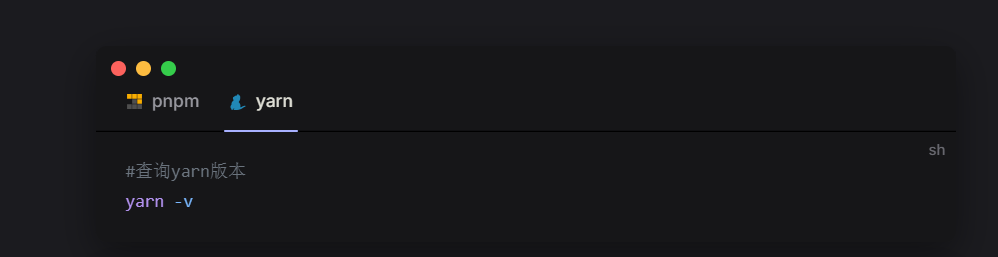
import 'virtual:group-icons.css'重新启动后查看运行情况如下。
链接卡片
在.vitepress\theme\components\Linkcard.vue文件中写入以下内容。
<script setup lang="ts">
interface Props {
    url: string
    title: string
    description: string
    logo: string
}

const props = withDefaults(defineProps<Props>(), {
    url: '',
    title: '',
    description: '',
    logo: '',
})
</script>


<template>
    <div class="linkcard">
        <a :href="props.url" target="_blank">
            <p class="description">{{ props.title }}<br><span>{{ props.description }}</span></p>
            <div class="logo">
                <img alt="logo" width="70px" height="70px" :src="props.logo" />
            </div>
        </a>
    </div>
</template>

<style>
/* 卡片背景 */
.linkcard {
    background-color: var(--vp-c-bg-soft);
    border-radius: 8px;
    padding: 8px 16px 8px 8px;
    transition: color 0.5s, background-color 0.5s;
    margin-top: 15px;
}

/* 卡片鼠标悬停 */
.linkcard:hover {
    background-color: var(--vp-c-yellow-soft);
}

/* 链接样式 */
.linkcard a {
    display: flex;
    align-items: center;
}

/* 描述链接文字 */
.linkcard .description {
    flex: 1;
    font-weight: 500;
    font-size: 16px;
    line-height: 25px;
    color: var(--vp-c-text-1);
    margin: 0 0 0 16px;
    transition: color 0.5s;
}

/* 描述链接文字2 */
.linkcard .description span {
    font-size: 14px;
}

/* logo图片 */
.linkcard .logo img {
    width: 80px;
    object-fit: contain;
}

/* 链接下划线去除 */
.vp-doc a {
    text-decoration: none;
}
</style>在.vitepress\theme\index.js文件中注册全局组件。
import Linkcard from "./components/Linkcard.vue"

export default {
  extends: DefaultTheme,
  enhanceApp({app}) {
    // 注册全局组件
    app.component('Linkcard' , Linkcard)
  }
}
使用方式
<Linkcard url="网址" title="标题" description="描述" logo="logo图片路径"/>

比如:

<Linkcard url="https://yyg.js.cool/" title="云野阁" description="闲云野鹤,八方逍遥" logo="https://yyg.js.cool/img/icon.png"/>
实际效果:

参考链接:

标题颜色渐变
在.vitepress\theme\style\var.css 文件中写入以下内容。
/************************* 标题颜色渐变 *************************/
h1 {
  background: -webkit-linear-gradient(10deg, #bd34fe 5%, #e43498 15%);
  background-clip: text;
  -webkit-background-clip: text;
  -webkit-text-fill-color: transparent;
}

/************************* 标题颜色渐变 *************************/
侧边栏样式美化
在.vitepress\theme\style\var.css 文件中写入以下内容。
/************************ 侧边栏美化 ************************/

/* 侧边栏缩放 */
.group:has([role='button']) .VPSidebarItem.level-0 .items {
  padding-left: 15px !important;
  border-left: 1px solid var(--vp-c-divider);
  border-radius: 2px;
  transition: background-color 0.25s;
}

/* 侧边栏图标 */
/* 选中所有 .VPSidebarItem 元素,排除带有 .is-link 类的 */
#VPSidebarNav .VPSidebarItem:not(.is-link).collapsed >.item {
    display: inline-flex;
    align-items: center;  /* 垂直居中对齐图标和文本 */
}

/* 为所有不带 .is-link 的 .VPSidebarItem 折叠状态添加图标 */
#VPSidebarNav .VPSidebarItem:not(.is-link).collapsed >.item::before {
    content: '';
    background-image: url('/img/folder.svg'); /* 设置图标路径 */
    width: 16px;
    height: 16px;
    display: inline-block;
    vertical-align: middle;  /* 确保图标与文本垂直居中 */
    background-size: cover;
    margin-right: 4px;  /* 给图标和文本之间增加间距 */
}

#VPSidebarNav .VPSidebarItem:not(.is-link) >.item {
    display: inline-flex;
    align-items: center;  /* 垂直居中对齐图标和文本 */
}

/* 为所有不带 .is-link 的 .VPSidebarItem 非折叠状态添加图标 */
#VPSidebarNav .VPSidebarItem:not(.is-link) >.item::before {
    content: '';
    background-image: url('/img/folder-open.svg'); /* 设置图标路径 */
    width: 16px;
    height: 16px;
    display: inline-block;
    vertical-align: middle;  /* 确保图标与文本垂直居中 */
    background-size: cover;
    margin-right: 4px;  /* 给图标和文本之间增加间距 */
}

/* 选中带有 .is-link 的 .VPSidebarItem 的直接子元素 .item */
#VPSidebarNav .VPSidebarItem.is-link > .item {
    display: inline-flex;
    align-items: center;  /* 垂直居中图标和文字 */
}

/* 为选中的 .item 添加图标 */
#VPSidebarNav .VPSidebarItem.is-link > .item::before {
    content: '';
    background-image: url('/img/file.svg'); /* 图标路径 */
    width: 16px;
    height: 16px;
    display: inline-block;
    vertical-align: middle;
    background-size: cover;
    margin-right: 4px;  /* 图标与文字间距 */
}

/************************ 侧边栏美化 ************************/
容器颜色
在.vitepress\theme\style\var.css 文件中写入以下内容。
/************************* tab信息框容器颜色 *************************/
/* 深浅色卡 */
:root {
    --custom-block-info-left: #cccccc;
    --custom-block-info-bg: #fafafa;

    --custom-block-tip-left: #009400;
    --custom-block-tip-bg: #e6f6e6;

    --custom-block-warning-left: #e6a700;
    --custom-block-warning-bg: #fff8e6;

    --custom-block-danger-left: #e13238;
    --custom-block-danger-bg: #ffebec;

    --custom-block-note-left: #4cb3d4;
    --custom-block-note-bg: #eef9fd;

    --custom-block-important-left: #a371f7;
    --custom-block-important-bg: #f4eefe;

    --custom-block-caution-left: #e0575b;
    --custom-block-caution-bg: #fde4e8;
}

.dark {
    --custom-block-info-left: #cccccc;
    --custom-block-info-bg: #474748;

    --custom-block-tip-left: #009400;
    --custom-block-tip-bg: #003100;

    --custom-block-warning-left: #e6a700;
    --custom-block-warning-bg: #4d3800;

    --custom-block-danger-left: #e13238;
    --custom-block-danger-bg: #4b1113;

    --custom-block-note-left: #4cb3d4;
    --custom-block-note-bg: #193c47;

    --custom-block-important-left: #a371f7;
    --custom-block-important-bg: #230555;

    --custom-block-caution-left: #e0575b;
    --custom-block-caution-bg: #391c22;
}


/* 标题字体大小 */
.custom-block-title {
    font-size: 16px;
}

/* info容器:背景色、左侧 */
.custom-block.info {
    border-left: 5px solid var(--custom-block-info-left);
    background-color: var(--custom-block-info-bg);
}

/* info容器:svg图 */
.custom-block.info [class*="custom-block-title"]::before {
    content: '';
    background-image: url("data:image/svg+xml;utf8,%3Csvg xmlns='http://www.w3.org/2000/svg' viewBox='0 0 24 24'%3E%3Cpath d='M12 22C6.477 22 2 17.523 2 12S6.477 2 12 2s10 4.477 10 10-4.477 10-10 10zm-1-11v6h2v-6h-2zm0-4v2h2V7h-2z' fill='%23ccc'/%3E%3C/svg%3E");
    width: 20px;
    height: 20px;
    display: inline-block;
    vertical-align: middle;
    position: relative;
    margin-right: 4px;
    left: -5px;
    top: -1px;
}

/* 提示容器:边框色、背景色、左侧 */
.custom-block.tip {
    /* border-color: var(--custom-block-tip); */
    border-left: 5px solid var(--custom-block-tip-left);
    background-color: var(--custom-block-tip-bg);
}

/* 提示容器:svg图 */
.custom-block.tip [class*="custom-block-title"]::before {
    content: '';
    background-image: url("data:image/svg+xml;utf8,%3Csvg xmlns='http://www.w3.org/2000/svg' viewBox='0 0 24 24'%3E%3Cpath fill='%23009400' d='M7.941 18c-.297-1.273-1.637-2.314-2.187-3a8 8 0 1 1 12.49.002c-.55.685-1.888 1.726-2.185 2.998H7.94zM16 20v1a2 2 0 0 1-2 2h-4a2 2 0 0 1-2-2v-1h8zm-3-9.995V6l-4.5 6.005H11v4l4.5-6H13z'/%3E%3C/svg%3E");
    width: 20px;
    height: 20px;
    display: inline-block;
    vertical-align: middle;
    position: relative;
    margin-right: 4px;
    left: -5px;
    top: -2px;
}

/* 警告容器:背景色、左侧 */
.custom-block.warning {
    border-left: 5px solid var(--custom-block-warning-left);
    background-color: var(--custom-block-warning-bg);
}

/* 警告容器:svg图 */
.custom-block.warning [class*="custom-block-title"]::before {
    content: '';
    background-image: url("data:image/svg+xml;utf8,%3Csvg xmlns='http://www.w3.org/2000/svg' viewBox='0 0 1024 1024'%3E%3Cpath d='M576.286 752.57v-95.425q0-7.031-4.771-11.802t-11.3-4.772h-96.43q-6.528 0-11.3 4.772t-4.77 11.802v95.424q0 7.031 4.77 11.803t11.3 4.77h96.43q6.528 0 11.3-4.77t4.77-11.803zm-1.005-187.836 9.04-230.524q0-6.027-5.022-9.543-6.529-5.524-12.053-5.524H456.754q-5.524 0-12.053 5.524-5.022 3.516-5.022 10.547l8.538 229.52q0 5.023 5.022 8.287t12.053 3.265h92.913q7.032 0 11.803-3.265t5.273-8.287zM568.25 95.65l385.714 707.142q17.578 31.641-1.004 63.282-8.538 14.564-23.354 23.102t-31.892 8.538H126.286q-17.076 0-31.892-8.538T71.04 866.074q-18.582-31.641-1.004-63.282L455.75 95.65q8.538-15.57 23.605-24.61T512 62t32.645 9.04 23.605 24.61z' fill='%23e6a700'/%3E%3C/svg%3E");
    width: 20px;
    height: 20px;
    display: inline-block;
    vertical-align: middle;
    position: relative;
    margin-right: 4px;
    left: -5px;
}

/* 危险容器:背景色、左侧 */
.custom-block.danger {
    border-left: 5px solid var(--custom-block-danger-left);
    background-color: var(--custom-block-danger-bg);
}

/* 危险容器:svg图 */
.custom-block.danger [class*="custom-block-title"]::before {
    content: '';
    background-image: url("data:image/svg+xml;utf8,%3Csvg xmlns='http://www.w3.org/2000/svg' viewBox='0 0 24 24'%3E%3Cpath d='M12 2c5.523 0 10 4.477 10 10v3.764a2 2 0 0 1-1.106 1.789L18 19v1a3 3 0 0 1-2.824 2.995L14.95 23a2.5 2.5 0 0 0 .044-.33L15 22.5V22a2 2 0 0 0-1.85-1.995L13 20h-2a2 2 0 0 0-1.995 1.85L9 22v.5c0 .171.017.339.05.5H9a3 3 0 0 1-3-3v-1l-2.894-1.447A2 2 0 0 1 2 15.763V12C2 6.477 6.477 2 12 2zm-4 9a2 2 0 1 0 0 4 2 2 0 0 0 0-4zm8 0a2 2 0 1 0 0 4 2 2 0 0 0 0-4z' fill='%23e13238'/%3E%3C/svg%3E");
    width: 20px;
    height: 20px;
    display: inline-block;
    vertical-align: middle;
    position: relative;
    margin-right: 4px;
    left: -5px;
    top: -1px;
}

/* 提醒容器:背景色、左侧 */
.custom-block.note {
    border-left: 5px solid var(--custom-block-note-left);
    background-color: var(--custom-block-note-bg);
}

/* 提醒容器:svg图 */
.custom-block.note [class*="custom-block-title"]::before {
    content: '';
    background-image: url("data:image/svg+xml;utf8,%3Csvg xmlns='http://www.w3.org/2000/svg' viewBox='0 0 24 24'%3E%3Cpath d='M12 22C6.477 22 2 17.523 2 12S6.477 2 12 2s10 4.477 10 10-4.477 10-10 10zm-1-11v6h2v-6h-2zm0-4v2h2V7h-2z' fill='%234cb3d4'/%3E%3C/svg%3E");
    width: 20px;
    height: 20px;
    display: inline-block;
    vertical-align: middle;
    position: relative;
    margin-right: 4px;
    left: -5px;
    top: -1px;
}

/* 重要容器:背景色、左侧 */
.custom-block.important {
    border-left: 5px solid var(--custom-block-important-left);
    background-color: var(--custom-block-important-bg);
}

/* 重要容器:svg图 */
.custom-block.important [class*="custom-block-title"]::before {
    content: '';
    background-image: url("data:image/svg+xml;utf8,%3Csvg xmlns='http://www.w3.org/2000/svg' viewBox='0 0 1024 1024'%3E%3Cpath d='M512 981.333a84.992 84.992 0 0 1-84.907-84.906h169.814A84.992 84.992 0 0 1 512 981.333zm384-128H128v-42.666l85.333-85.334v-256A298.325 298.325 0 0 1 448 177.92V128a64 64 0 0 1 128 0v49.92a298.325 298.325 0 0 1 234.667 291.413v256L896 810.667v42.666zm-426.667-256v85.334h85.334v-85.334h-85.334zm0-256V512h85.334V341.333h-85.334z' fill='%23a371f7'/%3E%3C/svg%3E");
    width: 20px;
    height: 20px;
    display: inline-block;
    vertical-align: middle;
    position: relative;
    margin-right: 4px;
    left: -5px;
    top: -1px;
}

/* 注意容器:背景色、左侧 */
.custom-block.caution {
    border-left: 5px solid var(--custom-block-caution-left);
    background-color: var(--custom-block-caution-bg);
}

/* 注意容器:svg图 */
.custom-block.caution [class*="custom-block-title"]::before {
    content: '';
    background-image: url("data:image/svg+xml;utf8,%3Csvg xmlns='http://www.w3.org/2000/svg' viewBox='0 0 24 24'%3E%3Cpath d='M12 2c5.523 0 10 4.477 10 10v3.764a2 2 0 0 1-1.106 1.789L18 19v1a3 3 0 0 1-2.824 2.995L14.95 23a2.5 2.5 0 0 0 .044-.33L15 22.5V22a2 2 0 0 0-1.85-1.995L13 20h-2a2 2 0 0 0-1.995 1.85L9 22v.5c0 .171.017.339.05.5H9a3 3 0 0 1-3-3v-1l-2.894-1.447A2 2 0 0 1 2 15.763V12C2 6.477 6.477 2 12 2zm-4 9a2 2 0 1 0 0 4 2 2 0 0 0 0-4zm8 0a2 2 0 1 0 0 4 2 2 0 0 0 0-4z' fill='%23e13238'/%3E%3C/svg%3E");
    width: 20px;
    height: 20px;
    display: inline-block;
    vertical-align: middle;
    position: relative;
    margin-right: 4px;
    left: -5px;
    top: -1px;
}
/************************* tab信息框容器颜色 *************************/
首页特性悬停效果
在.vitepress\theme\style\blur.css 文件中写入以下内容。
/************************ VPFeatures 页卡悬浮效果 ************************/
.VPFeatures .items .item {
  transition: transform 0.3s;
}

.VPFeatures .items .item:hover {
  transform: translateY(-5px);
}

    .VPFeature {
        border: 1px solid rgba(120, 122, 165, .25);
        box-shadow: 0 10px 30px 0 rgba(255, 255, 255, 0);
        background-color: transparent;
    }
}
/************************ VPFeatures 页卡悬浮效果 ************************/
导航栏毛玻璃
在.vitepress\theme\style\blur.css 文件中写入以下内容。
/************************* 部件透明*************************/
:root {

    /* 首页下滑后导航透明 */
    .VPNavBar:not(.has-sidebar):not(.home.top) {
        background-color: rgba(255, 255, 255, 0);
        backdrop-filter: blur(10px);
    }


    /* Feature透明 */
    .VPFeature {
        border: 1px solid rgba(120, 122, 165, .25);
        box-shadow: 0 10px 30px 0 rgb(0 0 0 / 15%);
        background-color: transparent;
    }

    /* 文档页侧边栏顶部透明 */
    .curtain {
        background-color: rgba(255, 255, 255, 0);
        backdrop-filter: blur(10px);
    }

    @media (min-width: 960px) {

        /* 文档页导航中间透明 */
        .VPNavBar:not(.home.top) .content-body {
            background-color: rgba(255, 255, 255, 0);
            backdrop-filter: blur(10px);
        }
    }

    /* 移动端大纲栏透明 */
    .VPLocalNav {
        background-color: rgba(255, 255, 255, 0);
        backdrop-filter: blur(10px);
    }

}
/************************* 部件透明*************************/
返回顶部按钮
在.vitepress\theme\components\backtotop.vue文件中加入以下内容。
<script setup>
import { onBeforeUnmount, onMounted, ref, computed } from "vue";

const showBackTop = ref(false); // 初始状态设为false
const scrollProgress = ref(0);

// 圆形进度条计算
const radius = 42;
const circumference = computed(() => 2 * Math.PI * radius);

function scrollToTop() {
  window.scrollTo({
    top: 0,
    behavior: "smooth",
  });
}

// 使用更高效的节流函数
function throttle(fn, delay = 50) {
  let timer = null;
  return function(...args) {
    if (!timer) {
      timer = setTimeout(() => {
        fn.apply(this, args);
        timer = null;
      }, delay);
    }
  };
}

const updateScrollProgress = () => {
  const { scrollY, innerHeight } = window;
  const { scrollHeight } = document.documentElement;
  const totalScroll = scrollHeight - innerHeight;
  scrollProgress.value = totalScroll > 0 ? Math.min(scrollY / totalScroll, 1) : 0;
};

const handleScroll = throttle(() => {
  // 当滚动超过100px时显示,否则隐藏
  const shouldShow = window.scrollY > 100;
  showBackTop.value = shouldShow;
  updateScrollProgress();
});

onMounted(() => {
  window.addEventListener("scroll", handleScroll);
  updateScrollProgress();
});

onBeforeUnmount(() => {
  window.removeEventListener("scroll", handleScroll);
});
</script>

<template>
  <Transition name="fade">
    <div class="back-top-container" v-show="showBackTop">
      <svg class="progress-ring" viewBox="0 0 100 100">
        <circle class="progress-ring-background" cx="50" cy="50" r="42" />
        <circle
          class="progress-ring-circle"
          cx="50"
          cy="50"
          r="42"
          :style="{'stroke-dashoffset': circumference - (scrollProgress * circumference)}"
        />
      </svg>
      <div
        class="vitepress-backTop-main"
        title="返回顶部"
        @click="scrollToTop()"
      >
        <svg class="icon" viewBox="0 0 1024 1024">
          <path d="M752.736 431.063C757.159 140.575 520.41 8.97 504.518 0.41V0l-0.45 0.205-0.41-0.205v0.41c-15.934 8.56-252.723 140.165-248.259 430.653-48.21 31.457-98.713 87.368-90.685 184.074 8.028 96.666 101.007 160.768 136.601 157.287 35.595-3.482 25.232-30.31 25.232-30.31l12.206-50.095s52.47 80.569 69.304 80.528c15.114-1.23 87-0.123 95.6 0h0.82c8.602-0.123 80.486-1.23 95.6 0 16.794 0 69.305-80.528 69.305-80.528l12.165 50.094s-10.322 26.83 25.272 30.31c35.595 3.482 128.574-60.62 136.602-157.286 8.028-96.665-42.475-152.617-90.685-184.074z m-248.669-4.26c-6.758-0.123-94.781-3.359-102.891-107.192 2.95-98.714 95.97-107.438 102.891-107.93 6.964 0.492 99.943 9.216 102.892 107.93-8.11 103.833-96.174 107.07-102.892 107.192z m-52.019 500.531c0 11.838-9.42 21.382-21.012 21.382a21.217 21.217 0 0 1-21.054-21.34V821.74c0-11.797 9.421-21.382 21.054-21.382 11.591 0 21.012 9.585 21.012 21.382v105.635z m77.333 57.222a21.504 21.504 0 0 1-21.34 21.626 21.504 21.504 0 0 1-21.34-21.626V827.474c0-11.96 9.543-21.668 21.299-21.668 11.796 0 21.38 9.708 21.38 21.668v157.082z m71.147-82.043c0 11.796-9.42 21.34-21.053 21.34a21.217 21.217 0 0 1-21.013-21.34v-75.367c0-11.755 9.421-21.299 21.013-21.299 11.632 0 21.053 9.544 21.053 21.3v75.366z" fill="#FFF"/>
        </svg>
      </div>
    </div>
  </Transition>
</template>

<style scoped>
.back-top-container {
  position: fixed;
  bottom: 20px;
  right: 20px;
  width: 60px;
  height: 60px;
  z-index: 999;
}

.vitepress-backTop-main {
  position: absolute;
  top: 50%;
  left: 50%;
  transform: translate(-50%, -50%);
  cursor: pointer;
  width: 44px;
  height: 44px;
  border-radius: 50%;
  background-color: #3eaf7c;
  padding: 8px;
  box-shadow: 0 2px 8px rgba(0, 0, 0, 0.15);
  display: flex;
  align-items: center;
  justify-content: center;
  z-index: 2;
  transition: background-color 0.2s ease;
}

.vitepress-backTop-main:hover {
  background-color: #71cda3;
}

.progress-ring {
  position: absolute;
  width: 100%;
  height: 100%;
  transform: rotate(-90deg);
  z-index: 1;
}

.progress-ring-background {
  fill: none;
  stroke: rgba(62, 175, 124, 0.15);
  stroke-width: 3;
}

.progress-ring-circle {
  fill: none;
  stroke: #3eaf7c;
  stroke-width: 3;
  stroke-dasharray: 264; /* 2 * π * 42 */
  stroke-linecap: round;
  transition: stroke-dashoffset 0.15s ease-out;
}

.icon {
  width: 24px;
  height: 24px;
}

.fade-enter-active,
.fade-leave-active {
  transition: opacity 0.3s ease;
}

.fade-enter-from,
.fade-leave-to {
  opacity: 0;
}
</style>在.vitepress\theme\index.js文件中加入以下内容。
import backtotop from "./components/backtotop.vue";

export default {
  extends: DefaultTheme,
  Layout() {
    return h(DefaultTheme.Layout, null, {

      // 指定组件使用doc-footer-before插槽
      'doc-footer-before': () => h(backtotop),

    })
  }
}
参考链接:

访客统计
提醒
访客统计的实现可选择使用 busuanzi 或 vercount统计服务
选择busuanzi需要下载busuanzi.pure.js,选择vercount可直接跳过这一步。
npm install busuanzi.pure.js在.vitepress\theme\components\DataPanel.vue文件中写入以下内容。
<template>
  <div class="panel">
    <div class="container">
      <section class="grid">
        <!-- busuanzi统计 - 访问量卡片 -->
        <div v-if="statsService === 'busuanzi'" class="card">
          <div class="text" id="busuanzi_container_site_pv">
            <div>本站总访问量</div>
            <span id="busuanzi_value_site_pv" class="font-bold">--</span>次
          </div>
        </div>

        <!-- Vercount统计 - 访问量卡片 -->
        <div v-if="statsService === 'vercount'" class="card">
          <div class="text" id="vercount_container_site_pv">
            <div>本站总访问量</div>
            <span id="vercount_value_site_pv" class="font-bold">--</span>次
          </div>
        </div>

        <!-- 心形图标卡片 -->
        <div class="card heart-card">
          <img src="/icon.png" alt="heart" class="heart-img" width="50" height="50" @click="onLinkUmiHandle" />
        </div>

        <!-- busuanzi统计 - 访客数卡片 -->
        <div v-if="statsService === 'busuanzi'" class="card">
          <div class="text" id="busuanzi_container_site_uv">
            <div>本站访客数</div>
            <span id="busuanzi_value_site_uv" class="font-bold">--</span>人次
          </div>
        </div>

        <!-- Vercount统计 - 访客数卡片 -->
        <div v-if="statsService === 'vercount'" class="card">
          <div class="text" id="vercount_container_site_uv">
            <div>本站访客数</div>
            <span id="vercount_value_site_uv" class="font-bold">--</span>人次
          </div>
        </div>
      </section>
    </div>
  </div>
</template>

<script setup lang="ts">
import { inBrowser } from "vitepress";
import { ref } from "vue";

// 配置项:选择使用的统计服务
// 可选值: 'busuanzi' | 'vercount'
const statsService = ref<'busuanzi' | 'vercount'>('busuanzi'); // 默认使用busuanzi

const onLinkUmiHandle = () => {
  if (inBrowser) {
    window.open(
      "", // 您可以在这里填入需要跳转的URL
      "_blank"
    );
  }
};
</script>

<style scoped>
.panel {
  margin-top: 12px;
  margin-bottom: 8px;
}

.container {
  width: 100%;
  max-width: 1152px;
  margin-left: auto;
  margin-right: auto;
}

.grid {
  display: grid;
  grid-template-columns: repeat(3, 1fr);
  gap: 12px;
}

.card {
  background-color: var(--vp-c-bg-soft);
  border-radius: 8px;
  padding: 16px;
  display: flex;
  flex-direction: column;
  justify-content: center;
  align-items: center;
  min-height: 100px;
  transition: transform 0.2s ease, box-shadow 0.2s ease;
}

.card:hover {
  transform: translateY(-2px);
  box-shadow: 0 4px 12px rgba(0, 0, 0, 0.1);
}

.heart-card {
  cursor: pointer;
}

.heart-img {
  border-radius: 4px;
  transition: transform 0.2s ease;
}

.heart-card:hover .heart-img {
  transform: scale(1.1);
}

.text {
  font-size: 0.875rem;
  line-height: 1.25rem;
  text-align: center;
}

.font-bold {
  font-weight: bold;
  font-size: 1.25rem;
  margin-top: 4px;
  display: block;
}
</style>
注意
在DataPanel.vue中的标为高亮的一行,进行统计服务的选择,默认是busuanzi。
在.vitepress\theme\index.js中写入以下内容。
import { inBrowser } from 'vitepress'
import busuanzi from 'busuanzi.pure.js'
import VisitorPanel from "./components/DataPanel.vue";

  enhanceApp({ app, router, siteData }) {
    app.component("DataPanel", DataPanel);
    if (inBrowser) {
      // 路由加载完成,在加载页面组件后(在更新页面组件之前)调用。
      router.onAfterPageLoad = () => {
        // 调用统计访问接口hooks
        useVisitData()
      }
    }
}在根目录的index.md最后加入以下内容。
<DataPanel />
NOTE
本地运行时,显示访问数值不准确为正常现象
参考原链接:


页脚版权
在.vitepress\config.mjs文件中写入以下内容。
themeConfig: {
    // 页脚
    footer: {
      message:   "Released under the MIT License.",
      copyright: `Copyright © 2024-${new Date().getFullYear()} `, //这里可以写JS表达式
    },

},
搜索样式美化
在.vitepress\config.mjs文件中写入以下内容。
  themeConfig: {
   .....
    // 搜索
    search: {
      provider: "local",
    }

},在.vitepress\theme\style\var.css文件中加入以下内容。
/************************ 搜索框美化 ************************/
/* 搜索框的位置 */
.VPNavBarSearch.search {
  justify-content: flex-end !important;
  padding-right: 32px !important;
}

/* 搜索框透明 */
.DocSearch-Button {
  background-color: rgba(255, 255, 255, 0);
  backdrop-filter: blur(10px);
}


/* 鼠标悬停时的样式 */
.DocSearch-Button:hover {
   background: rgba(0,0,0,.2);
}
/************************ 搜索框美化 ************************/